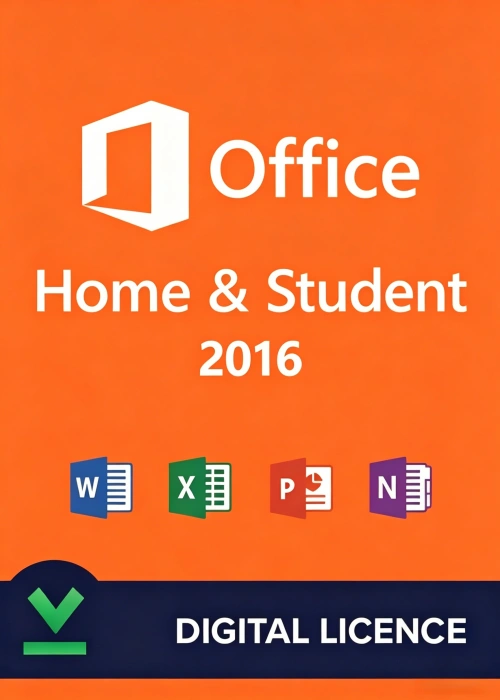
In an era where digital tools are integral to education and personal organization, the Office 2016 Home and Student Key stands as a reliable, cost-effective solution for students, educators, and home users. This genuine activation code grants permanent access to Microsoft’s flagship productivity suite, empowering you to create, collaborate, and organize without the constraints of recurring subscription fees.
What is the Office 2016 Home and Student Key?
The Office 2016 Home and Student Key is a 25-character alphanumeric code (formatted as XXXXX-XXXXX-XXXXX-XXXXX-XXXXX) that unlocks the full version of Microsoft Office 2016 Home and Student. Unlike subscription-based plans like Microsoft 365, this one-time purchase provides lifetime access to core desktop applications on a single Windows PC or Mac. It’s designed for non-commercial use, making it ideal for academic projects, personal budgeting, creative writing, and everyday document management.
Core Applications Included
With your activation key, you gain access to four industry-leading tools tailored to streamline your workflow:
1. Word 2016
Craft polished essays, resumes, reports, and creative documents with precision. Word 2016 offers advanced formatting options, real-time collaboration features, and intuitive editing tools. New enhancements include improved printer preview, SVG graphic support for crisp, scalable visuals, and enhanced touchscreen handwriting recognition for note-taking on 2-in-1 devices. Whether you’re drafting a school paper or a personal letter, Word ensures your work looks professional and polished.
2. Excel 2016
Turn raw data into actionable insights with Excel’s powerful spreadsheet tools. Create dynamic budgets, analyze survey results, and visualize trends with interactive charts and graphs. Excel 2016 introduces expanded mathematical functions, faster data processing, and new visualization tools that simplify complex data sets. For students, it’s perfect for analyzing lab data; for home users, it helps track expenses and plan savings goals with ease.
3. PowerPoint 2016
Design engaging presentations that captivate your audience. PowerPoint 2016 offers a wide range of templates, animations, and transition effects to bring your ideas to life. Whether you’re presenting a class project, a family slideshow, or a community event proposal, you can create visually stunning slides with minimal effort. The software also supports real-time collaboration, allowing multiple users to edit presentations simultaneously.
4. OneNote 2016
Organize your notes, research, and ideas in a single digital notebook. OneNote 2016 lets you capture handwritten notes, images, audio clips, and web content, and sync them across devices via OneDrive. It’s the ultimate tool for students taking lecture notes, professionals organizing project plans, or families managing to-do lists and vacation itineraries. With its flexible layout and search functionality, finding information is quick and effortless.
Key Benefits of the Office 2016 Home and Student Key
1. Lifetime Access, No Recurring Fees
Pay once and enjoy permanent access to Office 2016 Home and Student. Unlike Microsoft 365, which requires monthly or annual payments, this one-time purchase eliminates the stress of subscription renewals, making it a budget-friendly choice for long-term use.
2. Genuine Software with Security Updates
Rest assured that you’re using official Microsoft software, backed by regular security updates to protect your data. As of April 2026, Microsoft continues to release critical security patches for Office 2016, ensuring your documents and information remain safe from threats.
3. Offline Functionality
All applications work seamlessly offline, so you can create, edit, and save documents without an internet connection. This is especially valuable for students in areas with limited connectivity or anyone who prefers to work without relying on cloud services.
4. Cross-Platform Compatibility
The key supports both Windows and Mac devices, giving you flexibility to use Office 2016 on your preferred platform. For Windows users, the suite is compatible with Windows 7, 10, 11, and Windows Server 2016. Mac users need macOS 10.10 (Yosemite) or later. Note that one-time purchase licenses are not compatible with apps downloaded from the Mac App Store—you must install Office directly from Microsoft’s website.
5. Easy Activation and Installation
Activating your software is straightforward:
- Purchase a genuine key from an authorized retailer.
- Visit office.com/setup and sign in with your Microsoft account (create one if you don’t have one).
- Enter your 25-character key (hyphens can be omitted) and follow the prompts to download the installer.
- Run the installer and complete the setup process. Once installed, launch any Office app to start using the full suite.
System Requirements
Before purchasing, ensure your device meets the minimum requirements:
Windows
- Operating System: Windows 7, 10, 11, or Windows Server 2016
- Processor: 1 GHz or faster x86/x64 processor with SSE2 support
- RAM: 1 GB (32-bit) or 2 GB (64-bit)
- Disk Space: 3 GB available storage
- Display: 1024 x 768 resolution
- Graphics: DirectX 10 graphics card for hardware acceleration
Mac
- Operating System: macOS 10.10 (Yosemite) or later
- Processor: Intel processor
- RAM: 4 GB
- Disk Space: 6 GB available storage (HFS+ format)
- Display: 1280 x 800 resolution
Troubleshooting Common Issues
“This Product Key Has Already Been Used”
If you see this message, your key has likely been redeemed to a Microsoft account. Sign in to your account at account.microsoft.com/services to check if Office is already linked. If not, contact the retailer you purchased from for assistance.
Incompatibility with Mac App Store Apps
If you downloaded Office from the Mac App Store, you’ll need to delete those apps and install Office directly from Microsoft. To do this:
- Close all Office apps.
- Open Finder, go to the “Applications” folder, and drag Office apps to the Trash.
- Empty the Trash and download the official installer from Microsoft’s website.
Activation Delays for Preinstalled Office
If your PC came with preinstalled Office 2016 Home and Student, ensure Windows is activated first. Wait at least two hours after Windows activation before activating Office. If issues persist, reset your PC to factory settings and try again within 6 months of purchase.
Why Choose the Office 2016 Home and Student Key?
- Cost-Effective: A one-time purchase provides lifelong access, making it more affordable than subscription-based alternatives for users who don’t need cloud extras.
- Reliable and Mature: Office 2016 is a stable, well-tested platform with a familiar interface, ensuring a smooth learning curve for new users.
- Essential Tools for Everyone: Whether you’re a student writing essays, a parent managing household budgets, or a hobbyist working on creative projects, the suite has all the tools you need to succeed.
- Secure and Supported: Regular security updates from Microsoft protect your data, and the software remains compatible with modern file formats, ensuring your documents stay accessible.
Final Thoughts
The Office 2016 Home and Student Key is more than just an activation code—it’s an investment in lifelong productivity. For students, it’s a trusted companion throughout their academic journey; for home users, it’s a reliable tool for organizing daily tasks and pursuing creative endeavors. With its one-time pricing, offline functionality, and genuine Microsoft support, it’s the ideal choice for anyone seeking essential productivity software without the commitment of a subscription.
Unlock your potential today with Office 2016 Home and Student—where simplicity meets power.